2026
Year of the current release

Case study · Extension · Chrome & Firefox
Browser extension for Chrome and Firefox that replaces the default new tab with a working start page: visual bookmarks, folders, notes, time and weather widgets, custom background. Data stays local; UI in 50+ languages.
Year of the current release
Published in both stores
UI via extension locales
Manifest V3 architecture
Bookmarks stay on device
Challenge
Turn an empty new tab into a daily start page - without sending bookmark data to the cloud.
The standard new tab is empty and useless for people who juggle many sites, keep projects in folders, leave notes on cards, pick a custom background and choose a UI language without changing the browser language.
The goal was a product-grade NTP for Chrome and Firefox: visual cards with previews, folders and subfolders, notes, quick save, widgets and store publication - with data staying local.
Several product requirements had to land in one extension:
Solution
A local-first new-tab product for Chrome and Firefox - shipped to both stores.
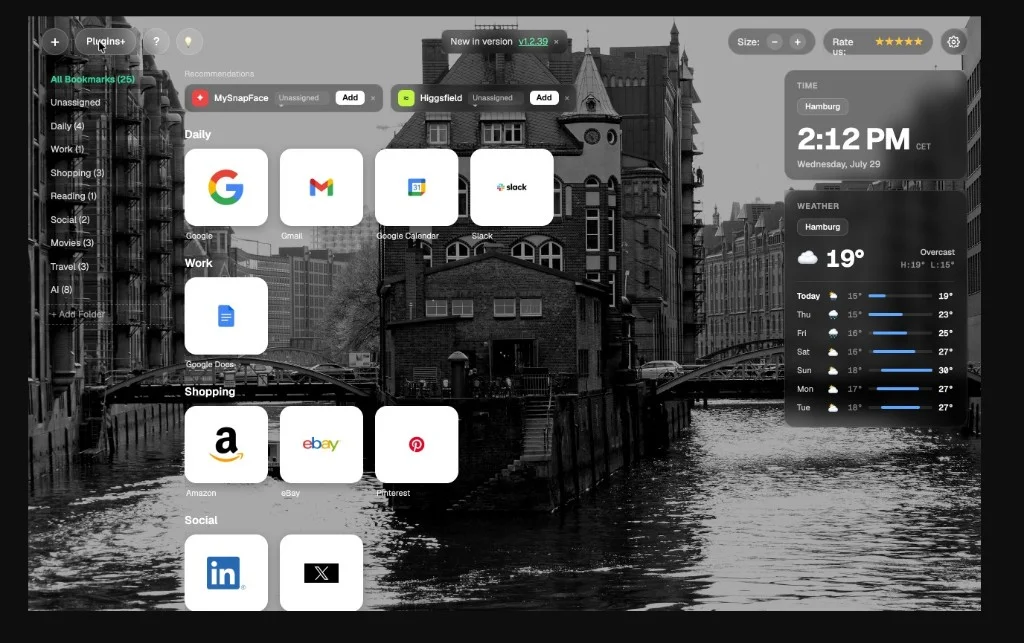
New Tab from Webdoka is a product by the Webdoka team. It replaces the default new tab with a working start page: visual bookmarks, folders, notes, widgets and a custom background.
Architecture: service worker, content script, newtab page and popup. Storage is local; IndexedDB holds previews. Weather comes from Open-Meteo with a local cache. Backgrounds are served from the Webdoka CDN.
Built with Vite 6 and TypeScript on a vanilla DOM stack (no React). Product site: newtab.webdoka.com.
Live in Chrome Web Store (id jjjdedmaiehjfdokniaggdikpbljmalc) and Firefox Add-ons (new-tab-webdoka).
From NTP UX to store publication - what was actually delivered.
Features
From visual bookmarks to store publishing - the product surface in five blocks.
Cards with previews, folders and an Unsorted inbox. Drag-and-drop keeps projects tidy; open all links in a folder at once, or copy links for chats without leaving the start page.
The NTP becomes a visual workspace instead of a blank browser surface - sites and projects stay one click away.
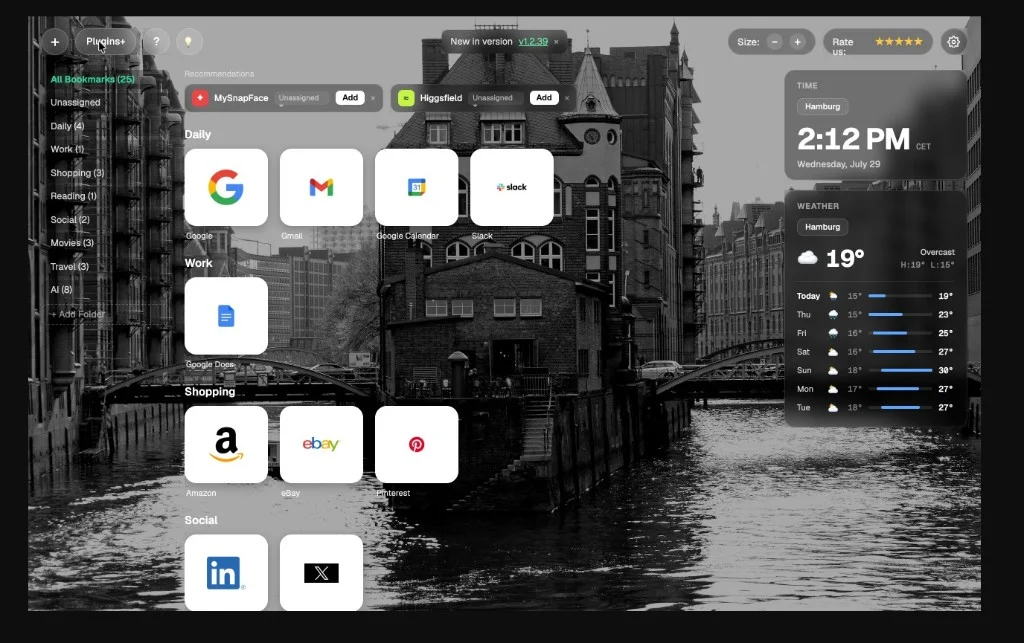
Brief or template notes on folders, plus per-site notes on cards. Copy to clipboard when you need the text in a ticket, chat or draft.
Context stays next to the bookmark - not in a separate notes app that you open after the page load.
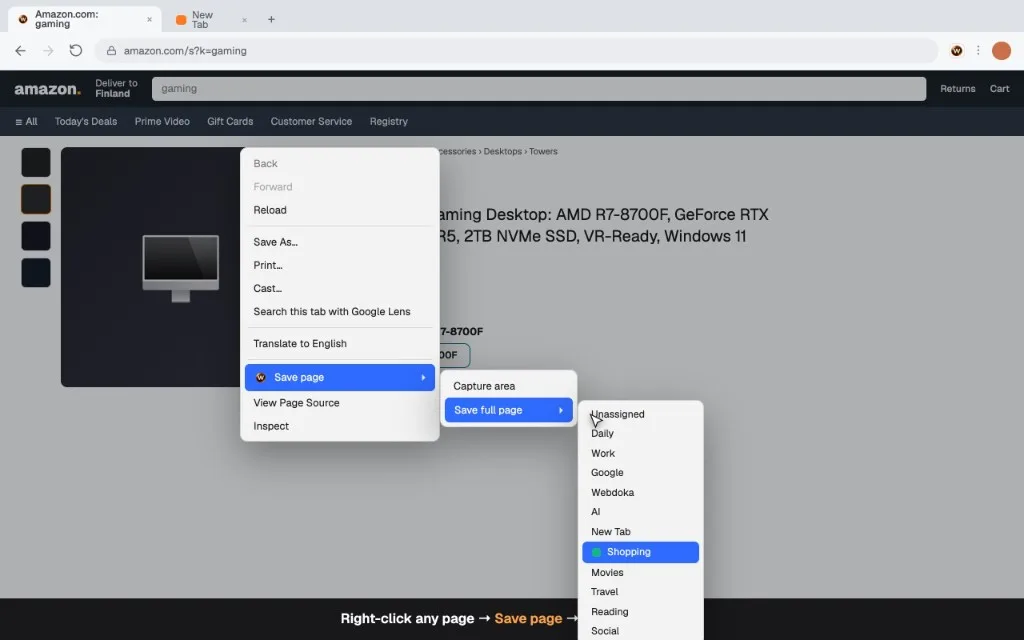
Context menu, hotkeys and popup: Alt+S saves a selected area, Shift+Alt+S sends the page to Unsorted. Custom preview when the default capture is not enough.
Capture fits the browsing flow - no separate add-bookmark ritual for every tab you want to keep.
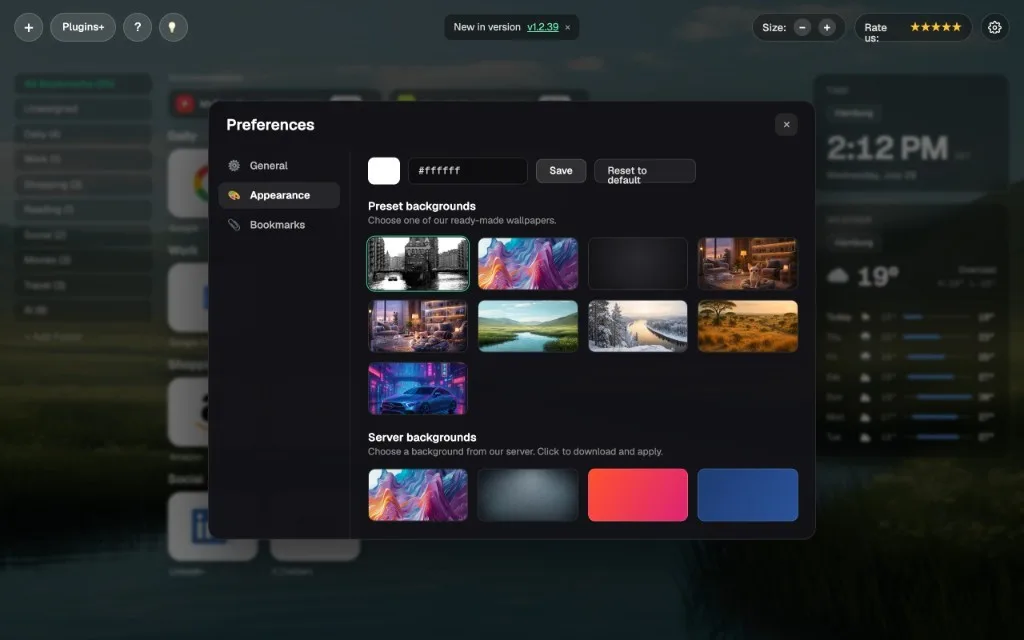
Multi-city time, a 7-day weather cache via Open-Meteo, background presets, Preferences Lab and HTML bookmark import for people who already have a library.
The start page feels personal without a cloud account for bookmarks - settings stay on the device.
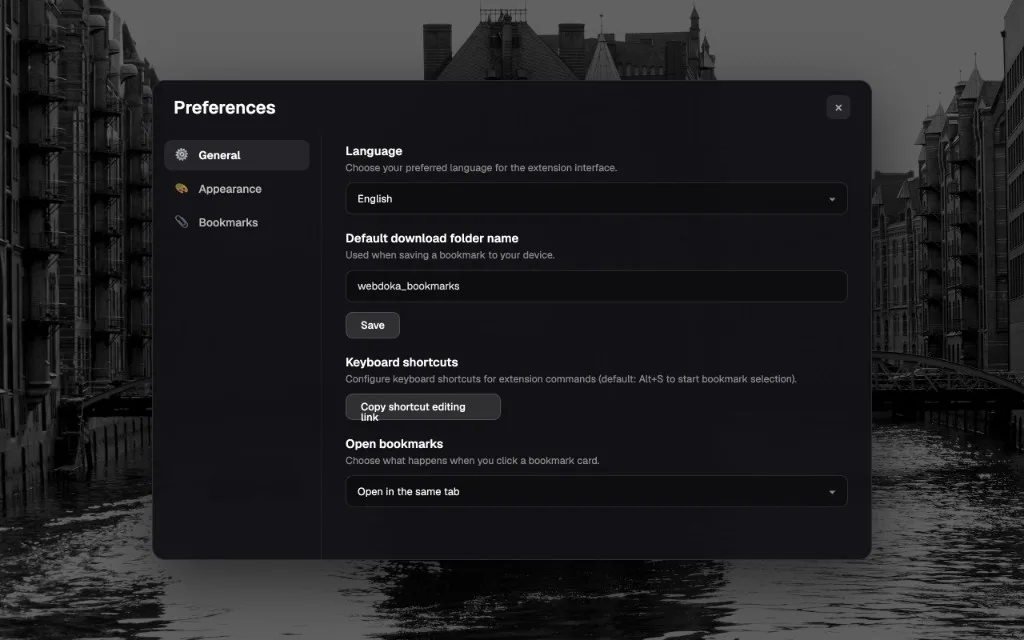
UI in 50+ languages via _locales. Landing on
newtab.webdoka.com,
listing in Chrome Web Store and Firefox Add-ons.
The product is not only an internal demo - it is a published extension with a public site and store pages.
Extracts from the extension UI - overview, folders, notes, preferences.
Technology
TypeScript and Vite 6 - MV3 extensions with local storage and IndexedDB.
Typed UI and extension logic across newtab, popup, content script and service worker.
Build pipeline for the extension packages - fast iteration without a React runtime.
Manifest V3 for Chromium and a matching Firefox add-on, published to both stores.
Previews in IndexedDB; bookmark structure and settings in local storage - no cloud account required.
Results
Product live in both stores - local-first privacy and a multilingual NTP.
Chrome Web Store and Firefox Add-ons
No cloud account for bookmarks
UI languages
Modern extension architecture
Current product year
A working NTP with visual bookmarks, folders, notes and widgets. Privacy stays local-first: no cloud account is required to keep the bookmark library. The UI ships in 50+ languages, and the extension is live in both major stores.
The case shows product delivery beyond client sites: a public extension, a landing on newtab.webdoka.com and store publication for Chrome and Firefox.
Tell us briefly what you need - we come back with a concrete proposal.