2026
Year of the current release

Case study · Extension · Chrome · HR
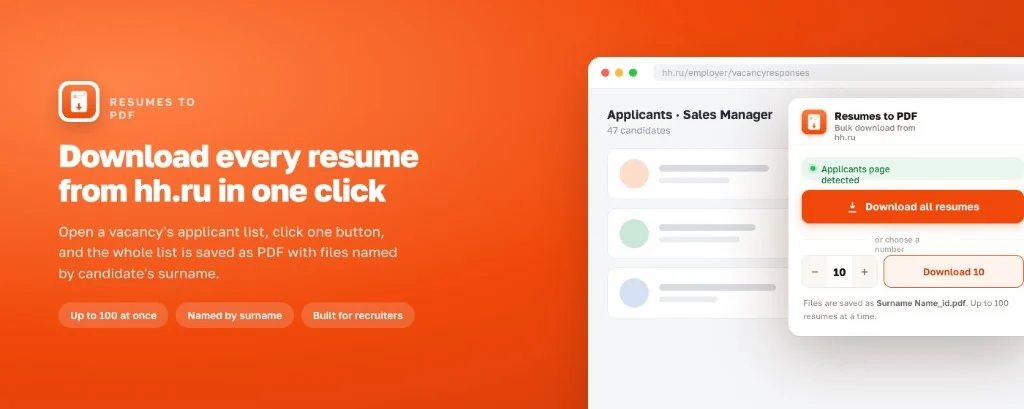
Chrome extension for hh.ru employer response pages: bulk-download candidate resumes as PDF without manual saves. Up to 100 files per run, filenames by surname, data stays in your browser.
Year of the current release
PDF files per run
Manifest V3 architecture
UI via chrome.i18n
No resume data on our servers
Challenge
Save dozens of hh.ru resumes as PDF for offline review - without clicking each candidate one by one.
Recruiters and HR teams on hh.ru open employer response pages with tens or hundreds of applicants. Each resume must be saved manually - slow, error-prone file names, no batch export from hh.ru itself.
The goal was a focused Chrome tool for employer response pages only: one action to download many PDFs, readable filenames, progress in the popup, and no cloud upload of candidate data.
The extension had to stay narrow and trustworthy:
Solution
Resume PDF - a Chrome extension by Webdoka for hh.ru recruiting workflows.
Resume PDF (Резюме в PDF) adds a popup and content scripts on hh.ru employer response pages.
The extension collects resume links on the page, fetches PDFs through Chrome APIs and saves them
via chrome.downloads - with a stepper for batch size and live progress.
Built with vanilla JavaScript on Manifest V3: service worker, content scripts and popup.
UI strings in English and Russian through chrome.i18n. Current release around v1.3.0.
Product landing: hh.webdoka.com with welcome and privacy pages. Listed in Chrome Web Store.
Help: welcome guide, privacy policy. Chrome only - no Firefox or Edge builds in this release.
From popup UX to store publication - what was actually delivered.
Features
Bulk PDF export tuned for hh.ru employer workflows - three core blocks.
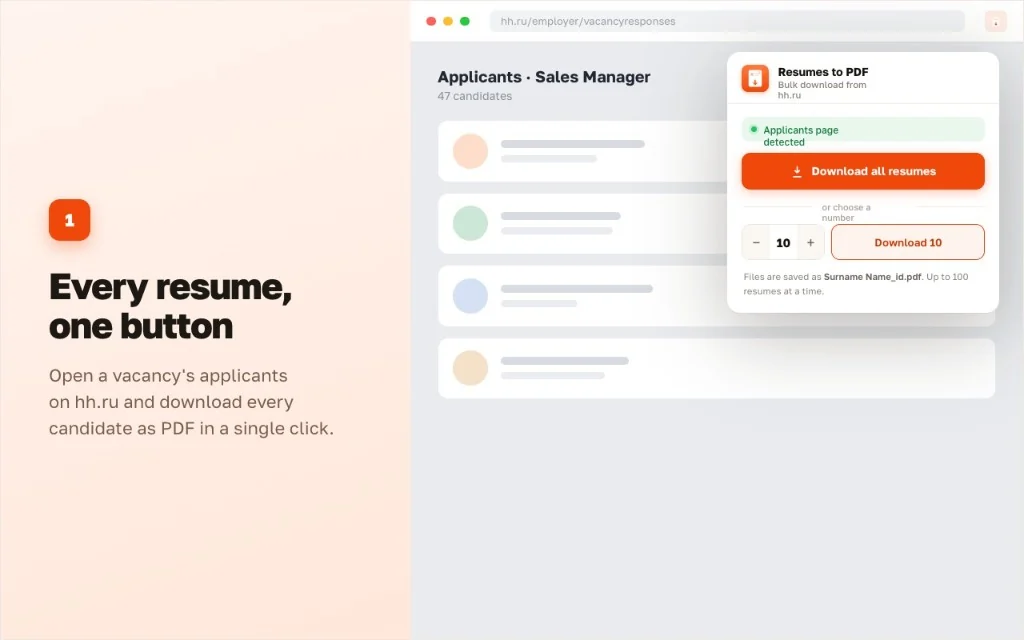
Open a vacancy's applicants on hh.ru and download every candidate as PDF in a single click. Need fewer files? Set a number in the stepper (up to 100) and download only that batch.
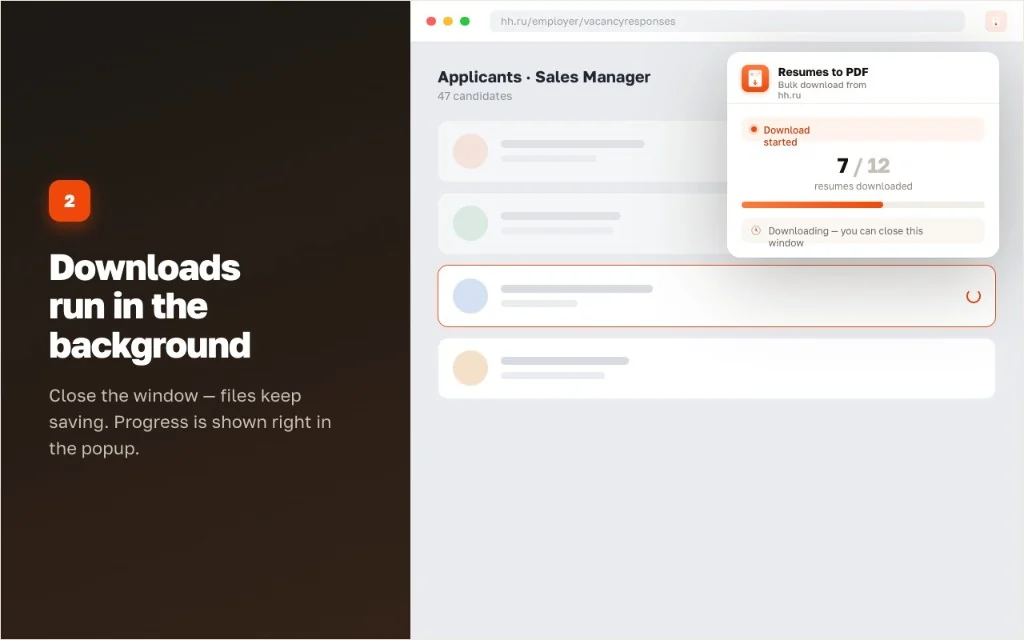
Close the popup - files keep saving. Progress stays visible in the extension UI while Chrome works through the queue with pauses so hh.ru is not overloaded.
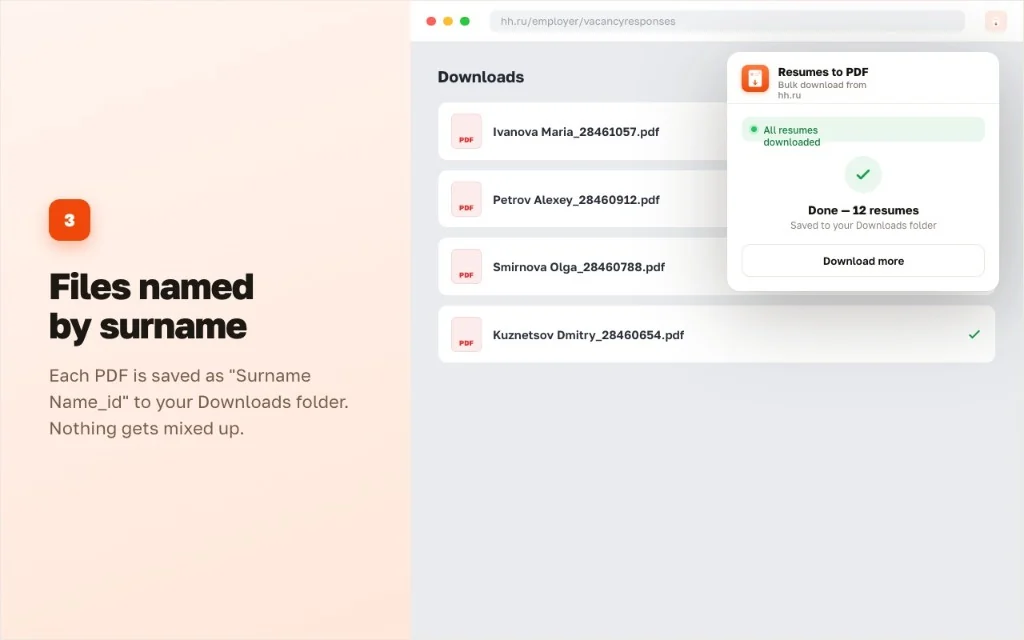
Each PDF is saved as Surname Name_<id>.pdf when the name is available,
otherwise resume_<id>.pdf - straight into Downloads, without manual renaming.
Workflow
From install to a folder of PDFs on the employer response page.
Install from Chrome Web Store, sign in to hh.ru as an employer and open a vacancy response list.
Open the extension popup, pick how many resumes to save (up to 100) and start the run.
Chrome saves files to your download folder with readable names. Repeat on the next page if needed.
Resume PDF is not an official hh.ru product and is not affiliated with HeadHunter. The extension works only on employer response pages where you already have access through your hh.ru account. It does not bypass hh.ru permissions or store resumes in the cloud.
The case shows a narrow HR utility shipped as a public Chrome extension: MV3 architecture, localized popup, product site and store listing - similar to how we deliver client-facing tools.
Tell us briefly what you need - we come back with a concrete proposal.